
Installing Mega888 on Xiaomi, Redmi and Poco
The three moves that get it installed:
- Settings → Privacy protection → Special permissions → Install unknown apps, then allow File Manager.
- Tap the APK. Let the security scan finish, then wait out the countdown — Install is greyed out until it ends.
- If it refuses with "Install blocked", turn off the scan in the Security app and tap the file again.
Xiaomi does not stop you the way Samsung does. It lets you through and makes the trip long enough that most people assume something has gone wrong and give up halfway. Nothing here is broken — the file is fine, and the Mega888 APK download guide covers everything that is not Xiaomi-specific.
Download Mega888 APKAuto Blocker still blocking? Get help on — WhatsApp Telegram
What Is Different on Xiaomi
MIUI and its replacement HyperOS behave the same way here, so the steps below apply to both, and to Redmi and Poco phones, which run the same software under different names.
Where Samsung puts one hard switch in front of you, Xiaomi stacks three soft ones: a permission, an automatic scan, and a timed delay. None of them refuses outright. Each adds a step, a wait, or a warning, and the combined effect is that people abandon the install rather than fail it.
Knowing all three are coming is most of the battle. Nothing below takes more than a few seconds once you expect it.
Allowing "Install Unknown Apps" on MIUI and HyperOS
Settings → Privacy protection → Special permissions → Install unknown apps.
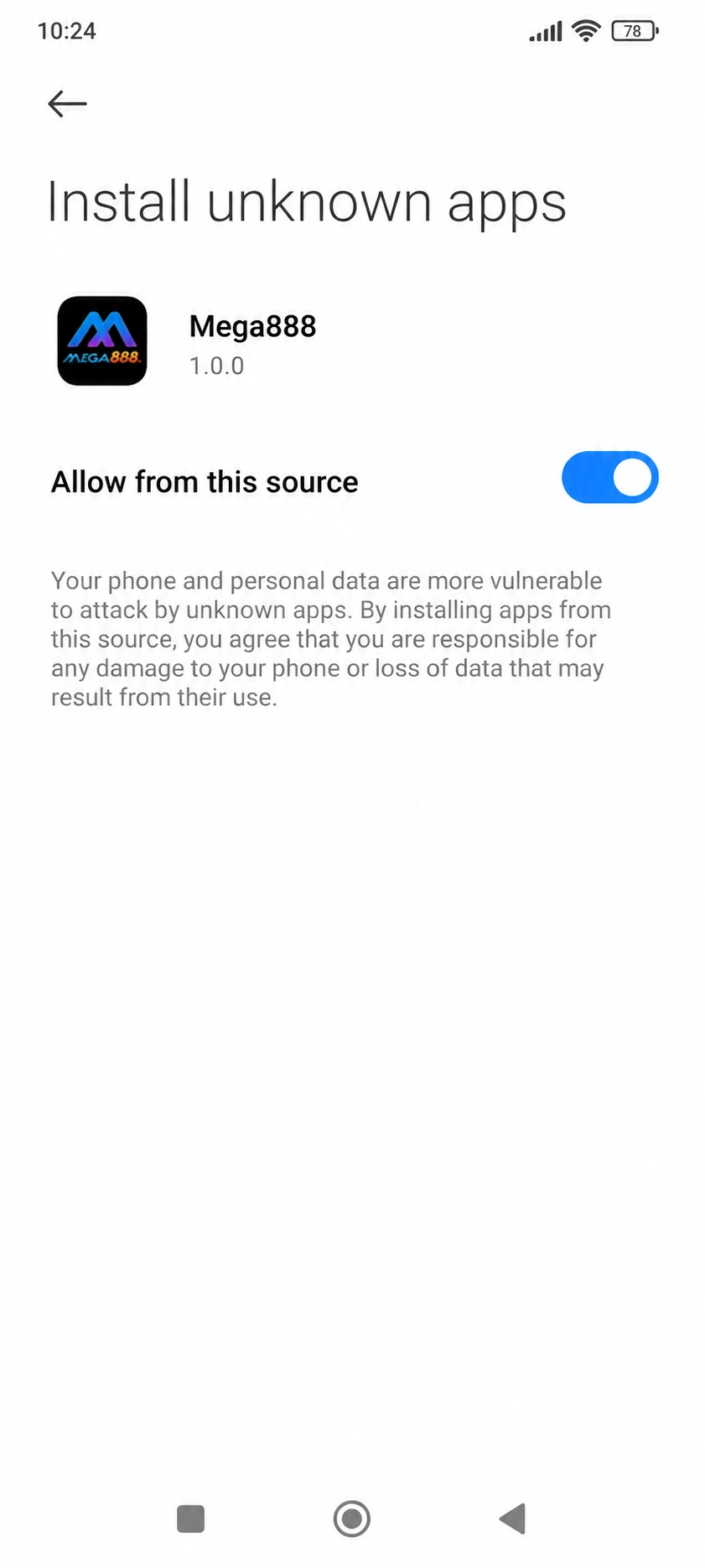
Turn the permission on for File Manager if you are opening the APK from your Downloads folder, or for your browser if you are tapping it from the download notification. The permission is granted per app, not to the phone as a whole.
Xiaomi buries this one level deeper than most brands. If you cannot find Privacy protection, search "unknown" in the Settings search bar — it goes straight there.
The Security Scan and the Countdown
Tap the APK and two things happen before the install screen behaves normally.
First, Xiaomi's built-in Security app scans the file and reports back. For an app that did not come from a store it will usually flag something regardless of what the file contains — that is the scan noticing where it came from, not what is in it.
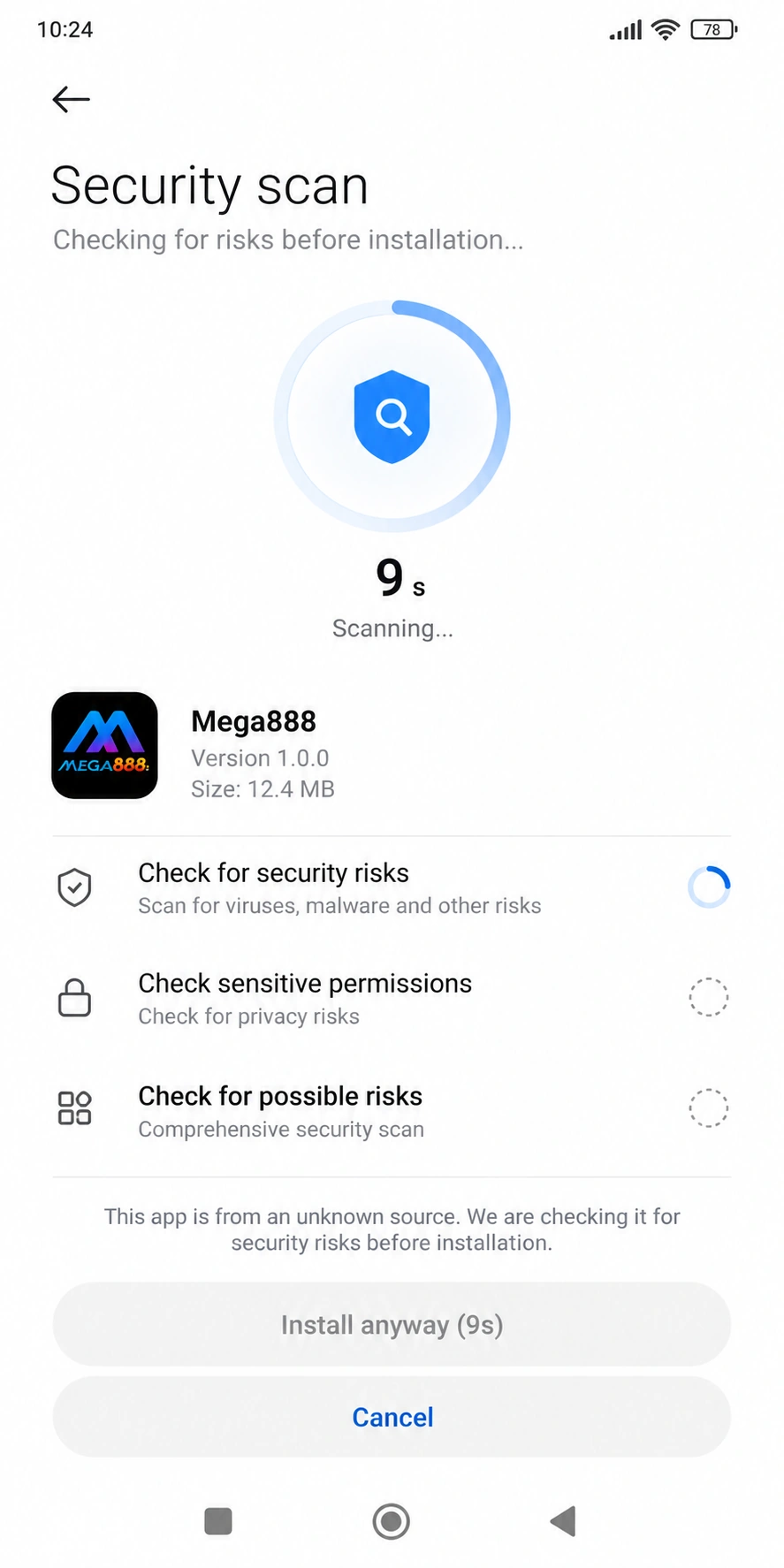
Second, the Install button sits greyed out for about ten seconds. This catches more people than the scan does: the screen looks frozen, the button looks broken, and the natural reaction is to back out and start again — which restarts the countdown. Leave it alone and it becomes tappable on its own.
If the scan blocks the install outright rather than warning, open the Security app, go into its settings, and turn off scanning before installing. Tap the APK again and it will go through.
Do You Need a Mi Account?
Some MIUI and HyperOS builds ask you to sign in to a Mi account before they will allow an install from outside the store. Others never mention it.
If yours asks, signing in is the fastest way past it and the account is free. If it does not ask, there is nothing to do — the requirement varies by software version and region rather than by handset, so a friend's Redmi behaving differently from yours is normal.
Where Xiaomi Saves Downloaded APK Files
File Manager → Downloads.
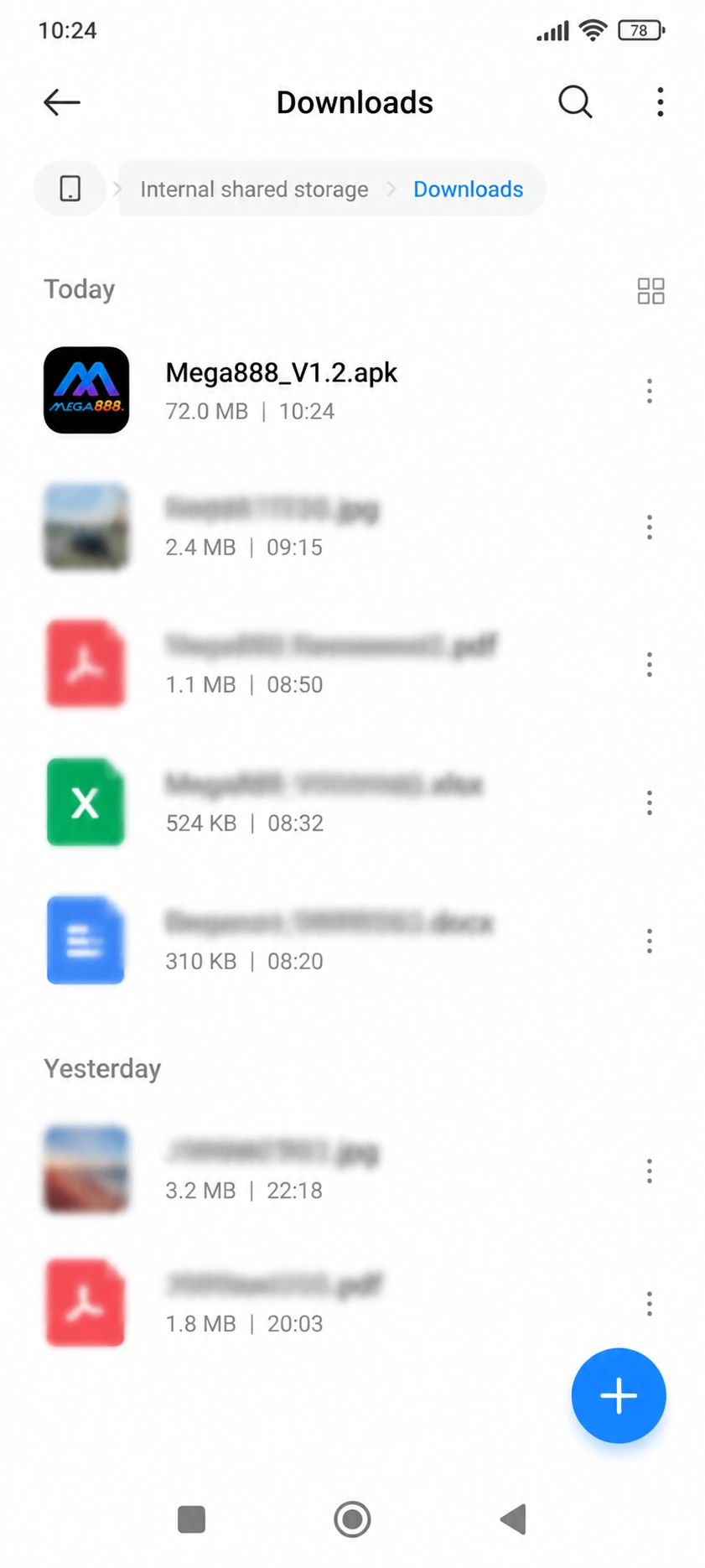
Xiaomi's file app is called File Manager and sits in the Tools folder on the home screen. Both Chrome and Mi Browser save to the same Downloads folder, so it does not matter which one you used.
Common Xiaomi Problems
The Install button does nothing
It is still counting down. Wait a few seconds without tapping anything — backing out and retrying starts the timer again from the beginning.
"Install blocked" keeps appearing
The Security app scan is refusing it rather than warning. Turn scanning off in the Security app's own settings, then tap the file again.
The permission is on but it still will not install
Check which app you granted it to. Allowing File Manager does nothing if you are tapping the file inside your browser instead.
Back to the Mega888 Android APK Guide
The file details, checking your download is the original, and updating it later all sit on the Mega888 APK download guide.
If you have not downloaded the file yet, start there.
18+ only. We are a Mega888 agent; the app and its games belong to the provider.